Guide Page 1
How To Set An Avatar
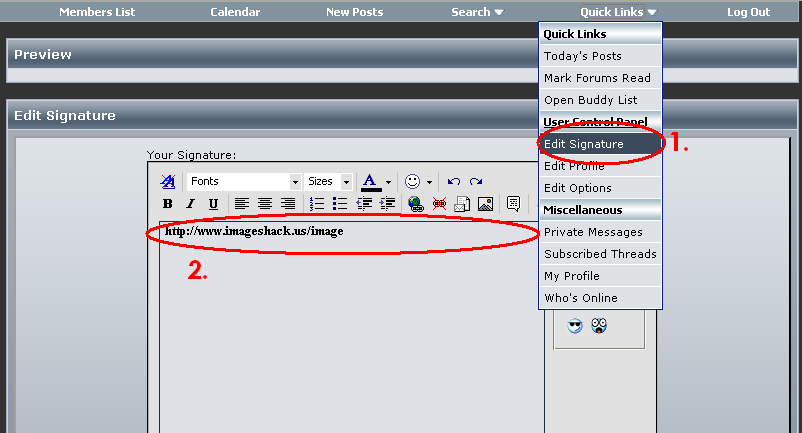
If you want an avatar from this site click the "Quick Links" button. Then click "Edit Profile" after than you'll need to
press "Edit Avatar" on the left hand "Control Panel." Click "Browse" then find and select the avatar. You can use an imagebrowser
like Photoshop or Imageshack aswell. Just submit it on the photobrowser then copy and paste the URL to "Enter Avatar URL."
press "Edit Avatar" on the left hand "Control Panel." Click "Browse" then find and select the avatar. You can use an imagebrowser
like Photoshop or Imageshack aswell. Just submit it on the photobrowser then copy and paste the URL to "Enter Avatar URL."

Insert Another Sub Header Here
You must also use a photobrowser. You use the same basic thing. Copy the link from the Photobowser and if it does not have the [Img][/Img] then add that.